
MojiWeather: Weather Radar
MOJI WEATHER PTE. LTD.Weather
4.551.00 Reviews
- Version
- 1.46.0
- Installs
- 500.00K
- Age Rating
- Everyone
Screenshots
Our Review of MojiWeather: Weather Radar
 Analysis by Appyee
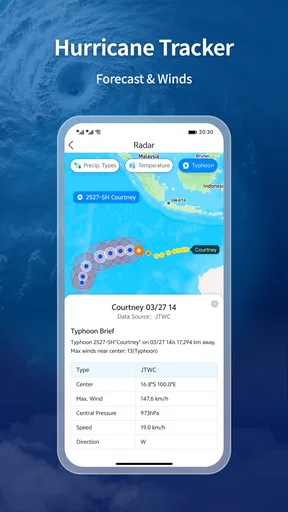
I usually open a weather app for one practical reason: I want to know whether I can leave home now, postpone a walk, or carry an umbrella for the next few hours. MojiWeather: Weather Radar takes that short-term decision and puts radar maps at the center of it. Instead of making me read a long forecast first, it encourages me to watch weather movement visually, which is especially useful when conditions are changing quickly.
After spending time with it, I see this as a focused weather app rather than a complete replacement for every weather tool on a phone. Its identity is clear: the store summary highlights forty-eight-hour radar maps, and that emphasis shapes the whole experience. I found it most useful when I cared about what was approaching my area, not just whether a generic daily icon showed sun or rain.
How MojiWeather fits into everyday weather checks
The app is developed by MOJI WEATHER PTE. LTD. and is available as a free weather app for everyone. Its current version is 1.46.0, and it runs on Android seven or later. Those details make it accessible to people using older Android phones as well as newer devices, although the quality of the experience will still depend on screen size, connection quality, and how comfortable you are reading moving map information.
The first thing I noticed is that radar changes the question I ask. A standard weather app often answers, “What is the forecast for today?” A radar-focused app helps answer, “Is that rain band moving toward me, and how long might I have before it arrives?” Those are different needs. For commuting, cycling, outdoor errands, school runs, or deciding whether to start a short activity, the second question can be more useful.
The interface feels better suited to quick visual checks than to sitting down and studying a full meteorological report. I can look at the map, identify the weather pattern near my location, and judge whether the situation is moving closer or farther away. That does require a little interpretation, but the payoff is that I am not relying only on a static symbol that may hide a rapidly changing local situation.
I would not describe this as an app that removes uncertainty from weather. Radar is still an observation and forecasting aid, not a promise. Light showers can weaken, split, or arrive earlier than expected, while storms can develop beyond the area I am watching. The best way to use MojiWeather is as a short-term decision tool, not as permission to ignore local warnings or common sense.
What the radar emphasis changes
The most valuable habit is to check the direction and shape of weather movement rather than looking only at the color directly over my location. If a rain area is approaching from one side, the animation can give me a better sense of timing than a daily percentage. If the pattern is scattered, I treat the result more cautiously because a gap in the map does not guarantee that my exact route will stay dry.
This makes the app particularly helpful for people whose plans are flexible by a few minutes. I can decide whether to leave immediately, wait briefly, or change the route. That is a more realistic use case than expecting a radar screen to predict the entire day with perfect precision.
One useful workflow is to check the map before leaving, then check it again only when the weather is genuinely unsettled. Constantly watching radar can create false confidence because the map looks precise even when the atmosphere is not. I prefer using it to support a decision, then accepting that conditions may still change.
The app also suits users who think visually. Some people understand a moving weather system faster from a map than from text such as “showers likely later.” Others may find the opposite easier. If you dislike map-based information or want a simple temperature-and-forecast screen, this focus may feel more complicated than necessary.
How the current release feels for new users
The current release presents MojiWeather as a fairly young product with a specific purpose. It was released on February ninth, two thousand twenty-five, and the version I reviewed is 1.46.0. I mention that because the app feels like something that can still develop around its central radar idea, rather than a mature weather suite trying to cover every possible need.
Its public reception is encouraging without being conclusive: it holds a 4.5 average from around nine thousand ratings, with over 500 thousand installs. That is enough to show that the concept has found an audience, but I would not treat those figures as proof that it will suit every location or every weather routine. Radar usefulness can vary greatly depending on local coverage, map clarity, and the user’s expectations.
For a new user, I recommend spending a few minutes learning how to read the map before relying on it during an important trip. Look at the legend, watch how the animation progresses, and compare what the map suggests with what is happening outside. That small calibration step is more valuable than immediately assuming that the brightest area or nearest color tells the complete story.
I also suggest checking whether the app’s presentation works comfortably on your phone. A radar map needs enough space to show nearby movement. On a smaller display, zooming and panning can become part of the task, especially when I am trying to inspect a route rather than a single neighborhood. That is not a flaw unique to this app, but it matters more here because the map is the main attraction.
What existing users may notice as the app evolves
Users who have already adopted MojiWeather will probably judge updates by whether the radar experience becomes clearer and more dependable in daily use. The version number shows active product progression, but I would separate that fact from any assumption about future additions. A newer version tells me the app is being maintained; it does not automatically tell me which feature will arrive next or how the interface will change.
For now, the central benefit remains consistency of purpose. The app is not trying to bury the radar behind a large collection of unrelated screens. That focus can be reassuring for existing users who open it specifically to inspect approaching precipitation. At the same time, a focused product has less room to hide weaknesses: if map interpretation feels awkward, there is no broad set of unrelated tools to compensate.
My advice to current users is to build a personal routine around the app rather than checking it randomly. For example, before a morning commute, I would inspect the broader pattern, then zoom in to the area where I will spend the next hour. Before an outdoor appointment, I would check again closer to departure. This two-stage approach avoids treating an early forecast view as permanent while keeping the process quick.
Another practical habit is to compare the radar with the actual sky and local conditions. If the map shows a narrow band but the wind is already strong or visibility is changing, I would give those real-world signs more weight. Radar is strongest when it adds timing and movement to my judgment, not when it replaces observation entirely.
Where the app still leaves work to the user
The main limitation is that radar maps are not automatically simple. I still need to understand direction, distance, intensity, and timing. A person looking for a single sentence such as “rain at six o’clock” may find the visual approach less immediate. The app can make weather more informative, but it can also make the user responsible for interpreting more information.
There is also a difference between knowing that precipitation is nearby and knowing exactly what will happen at my destination. A route may pass through several microclimates, and a radar image can show a broad pattern without capturing every local change. For longer plans, I would want a conventional forecast alongside the radar rather than using the map alone.
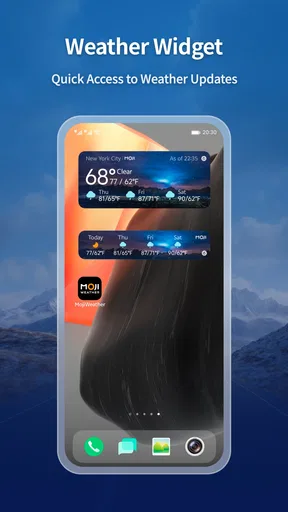
Another trade-off is attention. The app is excellent when I need a short-term answer, but it may be excessive for a routine check where I only want today’s temperature. If my question is whether to wear a jacket, a simpler weather widget may be faster. If my question is whether a moving shower will cross my route, MojiWeather becomes more relevant.
The app is free to download, with in-app purchases ranging from $0.99 to $29.99 per item. That makes it easy to try without an upfront cost, but I would still look carefully at any purchase screen before confirming. A free starting point is useful, yet the value of optional spending depends on whether the app’s radar workflow genuinely improves your decisions. I would not pay simply because the map looks attractive; I would pay only if the additional experience solves a problem I regularly have.
The age rating is Everyone, which fits the straightforward nature of a weather utility. Still, an all-ages rating does not mean every user will find the map equally accessible. Children and casual users may prefer an adult to explain what the colors and movement represent, while experienced weather watchers may want more detail than a simplified presentation provides.
Real situations where I would use it
Imagine I am preparing to cycle home and the sky is bright but unsettled. A normal daily forecast might say there is a chance of rain, which is not enough to decide whether I should wait. In MojiWeather, I can inspect whether a visible band is moving toward my route or whether the nearby activity is drifting away. If the pattern looks close and continuous, I would delay or choose another way home. If it is fragmented and moving past, I might leave with a light jacket while accepting some risk.
For a school pickup, I would use the map differently. I would check the area around the school and the route home, not only my current location. If the radar suggests that rain will arrive during the short walk, I can bring protection before leaving. This is a small example, but it shows why a location-centered map can be more useful than a broad city forecast.
For gardening, outdoor photography, or a short dog walk, the app can help with timing. I would not use it to plan an entire weekend, but I would use it to find a workable window between passing showers. The key insight is that the app is strongest when the decision horizon is short and the cost of being caught outside is annoying rather than dangerous.
For travel in unfamiliar places, I would be more cautious. A radar map can help after I arrive, but I would not depend on it as my only source while driving or making a safety-critical decision. In those situations, official alerts and local guidance should take priority. MojiWeather can add context, but it should not be treated as an emergency warning system merely because it displays weather movement.
How it compares with ordinary weather apps
Compared with a typical weather app, MojiWeather gives more attention to movement and immediacy. Standard apps are usually better for at-a-glance temperatures, multi-day planning, and a familiar list of forecast details. They are often easier for someone who wants a quick answer without interpreting a map.
MojiWeather makes more sense when the usual forecast feels too broad. “Rain likely today” does not tell me whether I should leave now or wait twenty minutes. A radar view can add that missing sense of direction and timing. The trade-off is that I have to engage with the display instead of accepting a single summary line.
Compared with specialized meteorological tools, the app’s appeal is likely its approachability. Someone who wants to watch nearby weather without learning an elaborate professional interface may appreciate the focused design. On the other hand, a serious weather enthusiast may eventually want more layers, measurements, or technical context than a radar-centered consumer app provides. I would choose according to the decision I need to make, not according to which app appears more advanced.
I also would not replace every weather service on my phone with it immediately. My preferred setup would be to keep a simple forecast source for daily planning and use MojiWeather when precipitation timing matters. That combination avoids asking one app to do two different jobs equally well.
What I would watch in future updates
Because the product is still relatively new, I would watch how the developer improves clarity around radar interpretation. The most valuable progress would be anything that helps ordinary users understand what they are seeing without making the screen crowded. Better explanations, smoother exploration, or clearer context would matter more to me than adding unrelated extras.
I would also pay attention to how well the app balances quick checks with deeper inspection. A radar tool should let me answer a simple question quickly, but it should also reward a closer look when conditions are complicated. If future releases make both paths easier, the app could become more useful without losing its focused identity.
Existing users should also judge updates by stability and consistency rather than by version numbers alone. A new release can be worthwhile if it makes everyday checking less frustrating, even when the visible feature list is modest. Conversely, a large redesign would not automatically be an improvement if it makes the radar harder to read.
My final view is that MojiWeather earns a place on my phone when I need to understand nearby weather movement, especially before a short outdoor activity. I like its clear radar-first purpose, its free entry point, and the way it turns a vague rain question into a more practical timing decision. I would skip it if I only want a basic daily forecast, if I dislike map-based information, or if I need a comprehensive professional weather workstation.
My recommendation is to try it as a companion rather than an automatic replacement. Give the radar a few real tests during ordinary errands, learn how its colors and animation relate to conditions around you, and decide whether that extra context saves you time or prevents inconvenient surprises. For me, that is where the app’s value becomes clear: not in promising certainty, but in helping me make a better short-term choice with the weather information in front of me.
Verdict
Strengths of MojiWeather: Weather Radar
- Clear radar maps make approaching rain easy to track.
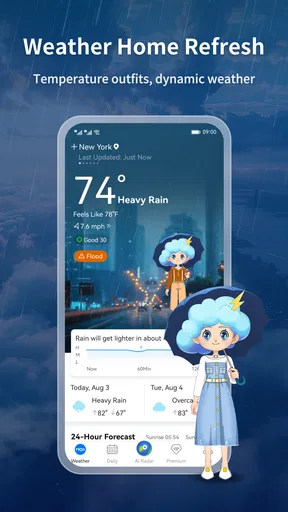
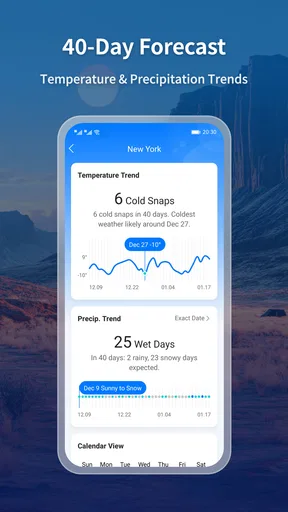
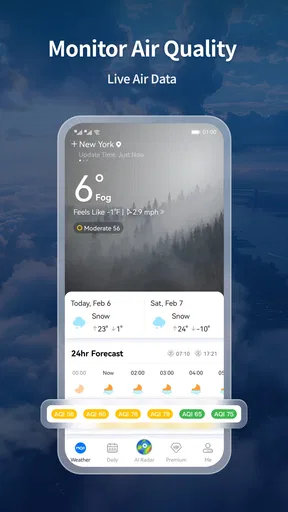
- Provides useful hourly and multi-day forecasts at a glance.
- Location support helps monitor weather in multiple places.
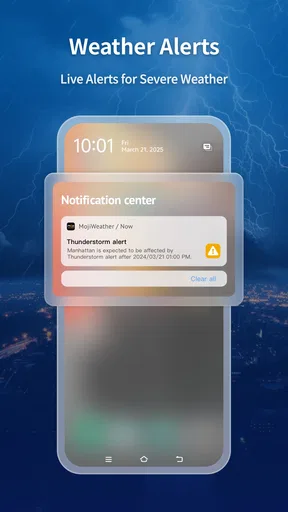
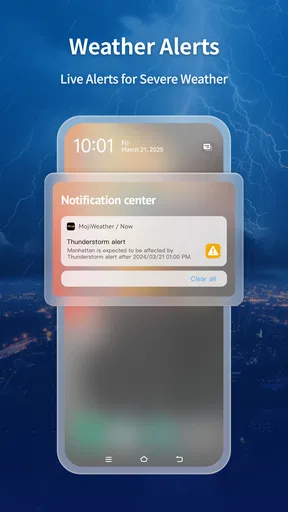
- Weather alerts can help users prepare for severe conditions.
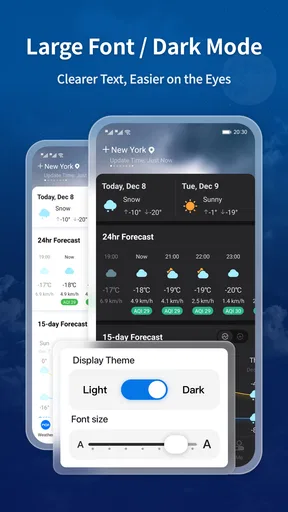
- Clean interface is quick to understand for everyday checks.
Limitations of MojiWeather: Weather Radar
- Radar coverage and accuracy may vary by region.
- Some advanced features may require a paid subscription.
- Frequent location updates can increase battery consumption.
- Forecast details may feel limited compared with larger weather apps.
- Ads may interrupt the experience for users on the free version.
Similar Picks in This Category
View All
Weather - By Xiaomi
Xiaomi Inc.4.1

Weather & Radar Forecast
WetterOnline4.8

Weather
OneLouder Apps4.6

AccuWeather: Weather Radar
AccuWeather3.6

The Weather Channel - Radar
The Weather Channel4.6

1Weather Forecasts & Radar
OneLouder Apps4.3
Frequently Asked Questions
What is MojiWeather: Weather Radar, and what does it offer?
MojiWeather: Weather Radar is a weather app designed to provide current conditions, forecasts, radar imagery, and weather alerts in one place. During testing, its main value was the combination of quick daily updates with visual radar information, making it useful for checking rain movement, planning outdoor activities, or monitoring changing conditions. Available features may vary by location and device.
Does MojiWeather provide accurate weather forecasts and radar information?
Forecast accuracy depends largely on your location, the quality of the app’s weather data providers, and how far ahead you are looking. Short-term forecasts and radar observations are generally more useful than long-range predictions, especially during rapidly changing weather. Radar data can also have delays or limited coverage, so MojiWeather should support—not replace—official emergency warnings and local meteorological services.
Does the app require location access to work?
MojiWeather can usually provide weather information for a manually selected city, but location permission may be requested to automatically show conditions for your current area. You can review this permission during setup and change it later in your Android or iOS settings. If privacy is a priority, selecting locations manually may reduce location sharing while still allowing access to forecasts and radar tools.
Are there advertisements, subscriptions, or in-app purchases?
The availability of advertising and premium options can depend on the app version, operating system, and region. Before downloading or subscribing, check the store listing for current pricing, trial terms, renewal conditions, and which features are included in the free version. Pay particular attention to automatic-renewal details, because deleting the app normally does not cancel an active subscription.
Can MojiWeather send severe weather alerts and work when I am offline?
The app may support notifications for weather changes or severe conditions, but alerts depend on enabled permissions, internet access, regional coverage, and the data supplied by its weather services. Radar images and updated forecasts generally require a connection. Previously loaded information might remain temporarily available offline, but you should not rely on cached data or the app alone during dangerous weather; consult official emergency authorities.
